

Our work · open anything
You should see it work before you hire us.
Visit the live websites. Try the apps. Tap through the systems behind them. All built by us. Yours starts with one fixed price in writing.
Open now: ownthebid.com (opens in a new tab) sadtatts.com (opens in a new tab) meso-usa.com (opens in a new tab) nextrev.io (opens in a new tab)
 NextRev - OwnedNextRev.io is our company. Work marked NextRev - Owned belongs to NextRev.
01Websites
Websites that look sharp and get the call.
Tap a site to watch it scroll. Open it to see it live. Every picture was taken from the live site.
SmartCare
A vehicle-protection company’s site, rebuilt around an instant quote that works.
-
Client
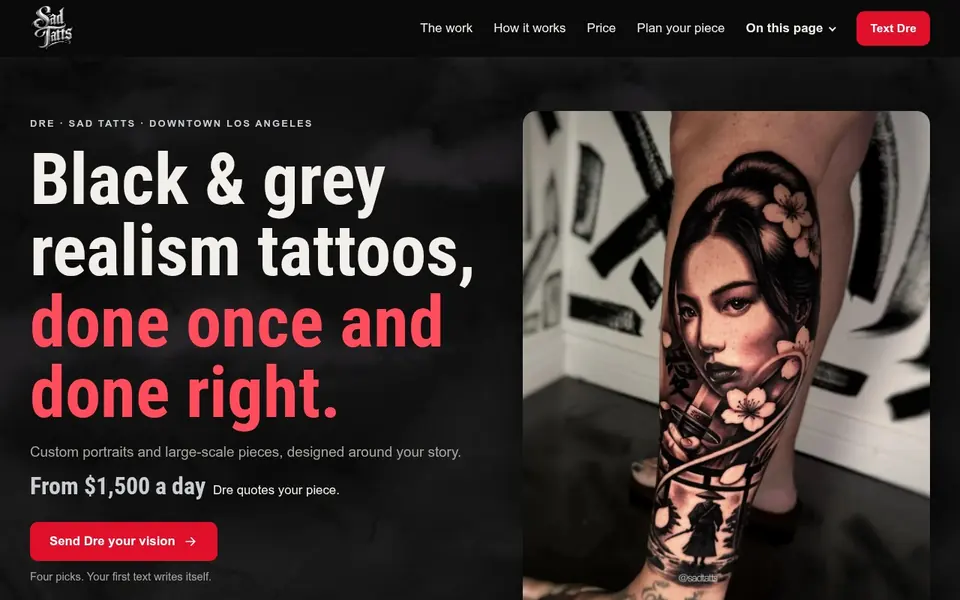
Sad Tatts
A tattoo artist’s site on his own domain: the work first, then booking.
-
Client
Practice IQ
A dental partnership’s site that explains the deal in plain words.
-
Client
ProInn 3D
Industrial spare parts, 3D printed in days. In Spanish, for a shop in Cali, Colombia.
-
Our company
OwnTheBid
Lead flow for contractors: stop renting leads, own them.
-
NextRev - Owned
NextRev.io
Our software company. AI drafts the paperwork, the team approves it.
-
Concept
Paradise City Tattoo
A studio site for Vinnie Stones: black and grey realism, video up front, booking one tap away.
-
Concept
Tattoos by Flex
Tattoos in Los Angeles, the work shown big.
-
Concept
Torrance concrete
A contractor site built to turn visitors into quote requests.
-
Concept
Thread & Needle Co.
A made-up apparel shop, with a price tool and a free mockup offer.
Concept means a free sample we made for the business.
02Apps
Apps you can try right now.
Ten run in your browser, no sign-up. Every customer in them is made up.
-
 For painters and artists
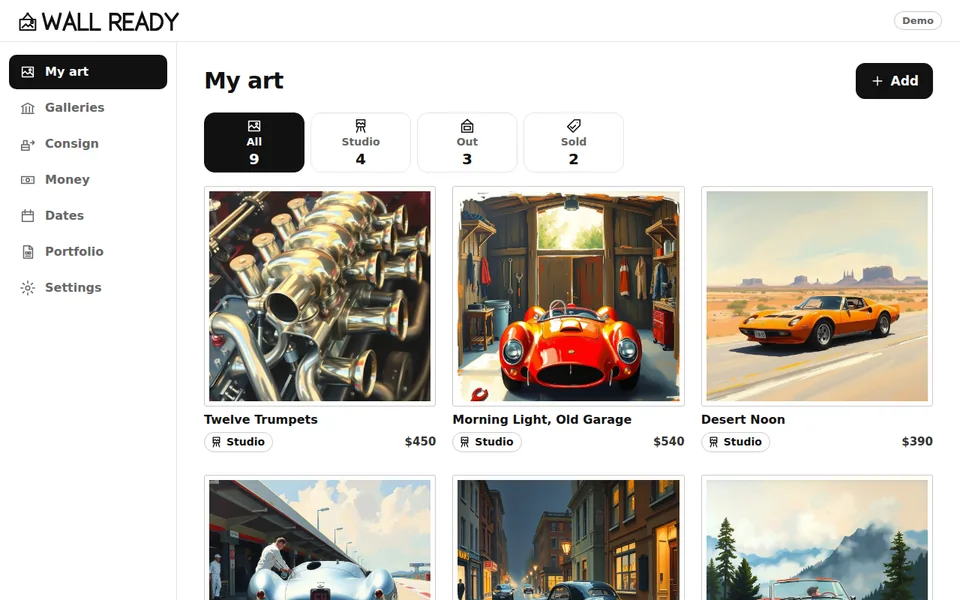
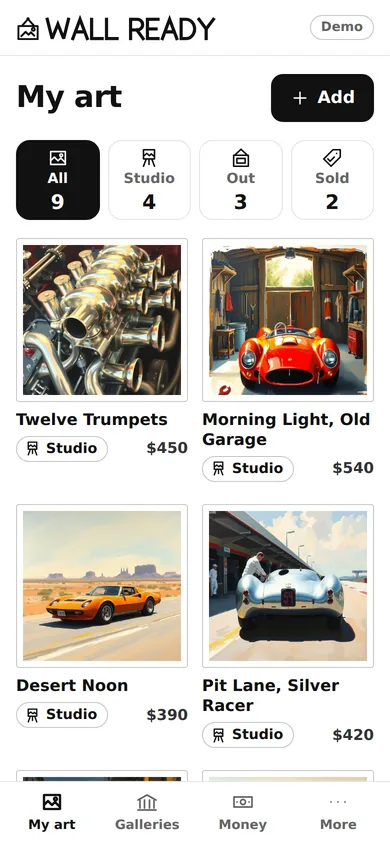
Wall Ready
Every painting, the galleries showing it, what sold and what is owed, on one phone. One tap makes the packet a gallery asks for.
Made-up painter, paintings and galleries.
-
 For studios and artists
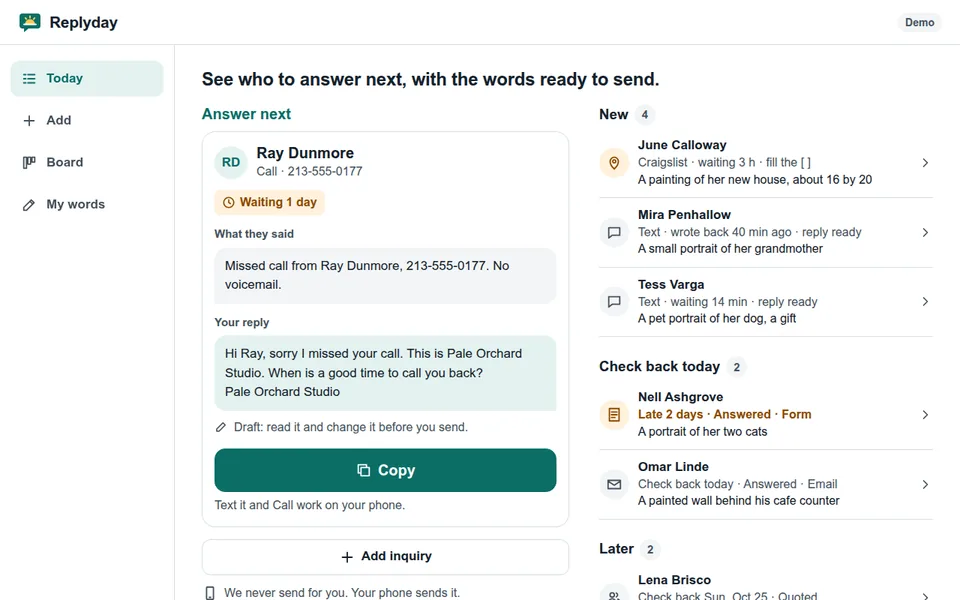
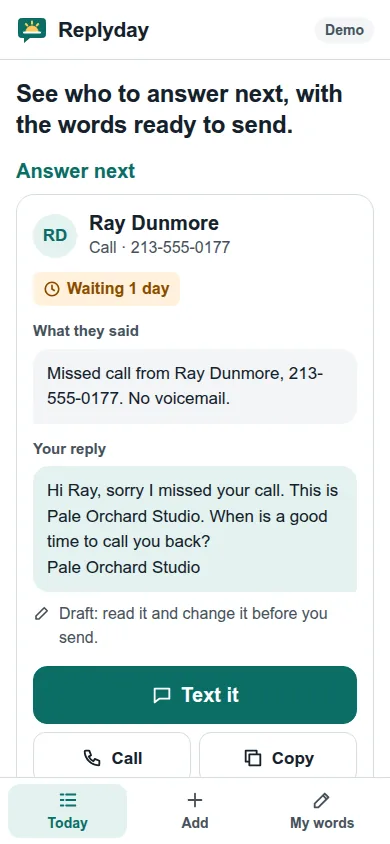
Replyday
Paste in each inquiry and a reply is drafted in your own words and prices. You send it from your phone, and the check-back goes on your list and your calendar.
Made-up studio and customers.
-
 For online sellers
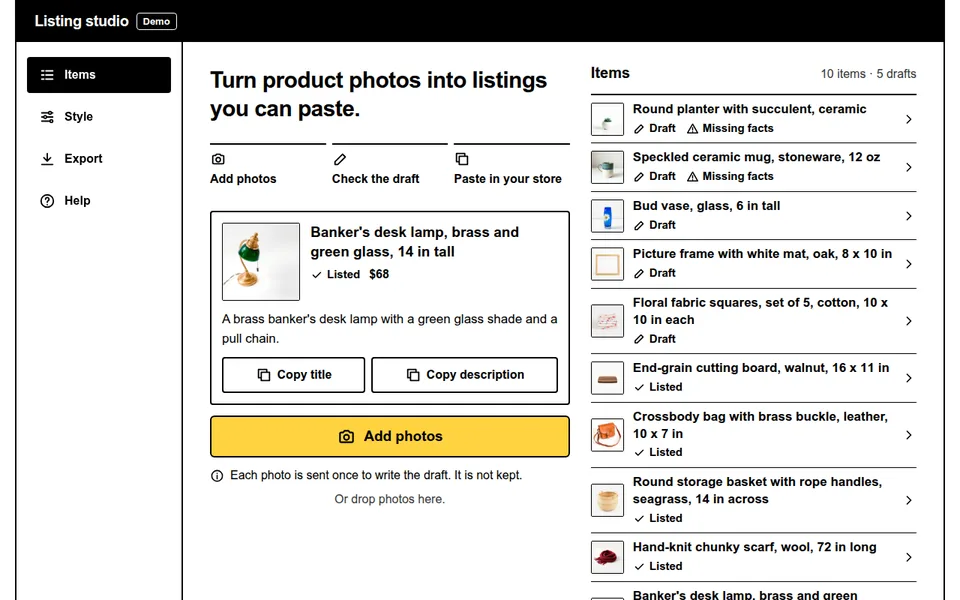
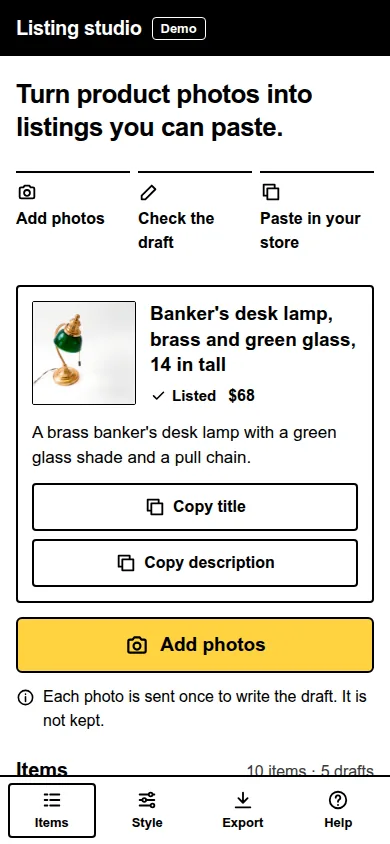
Listing studio
Add a product photo. It drafts the title, the description and the alt text in your format, then one Shopify import file.
Made-up shop and products. You check every draft.
-
 For property inspectors
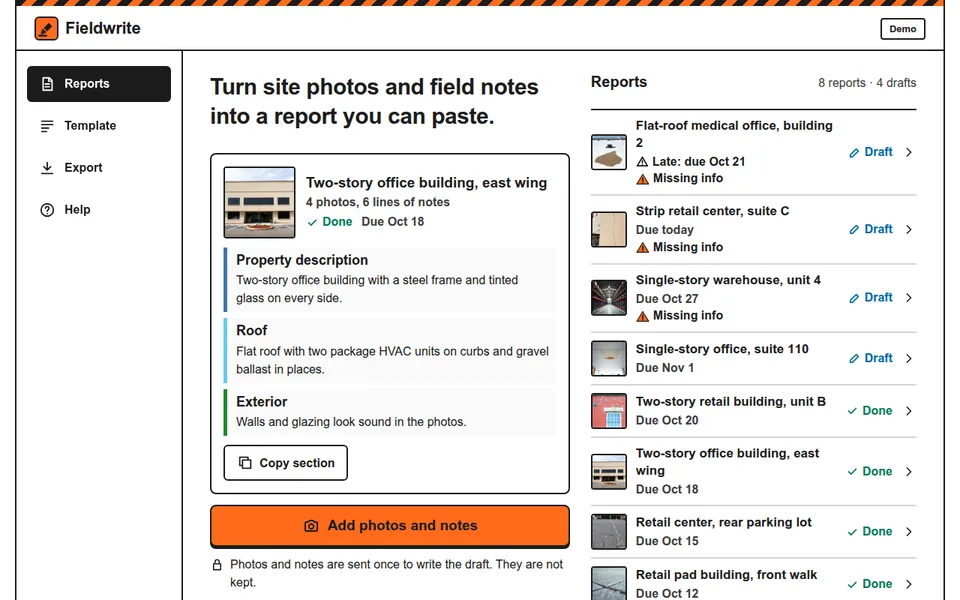
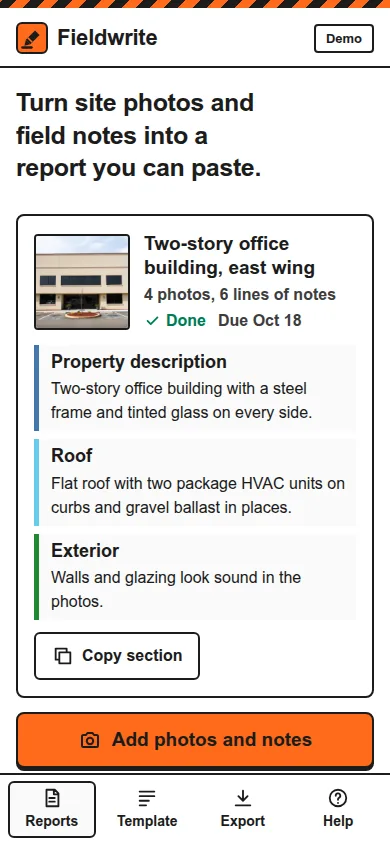
Fieldwrite
Site photos and field notes in. Each report section drafted in your template, with missing facts flagged.
Made-up sites and reports. You check every draft.
-
 For roofers
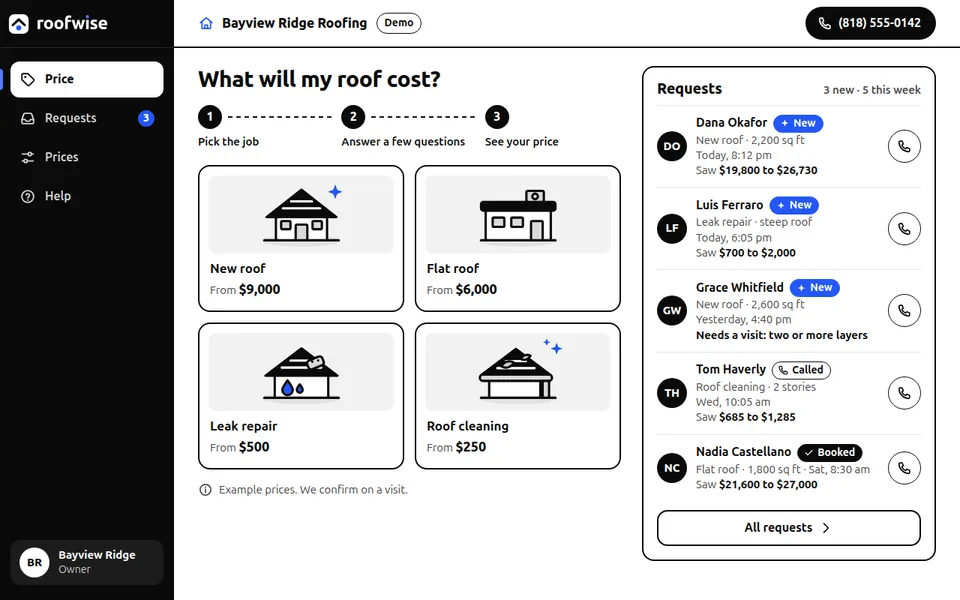
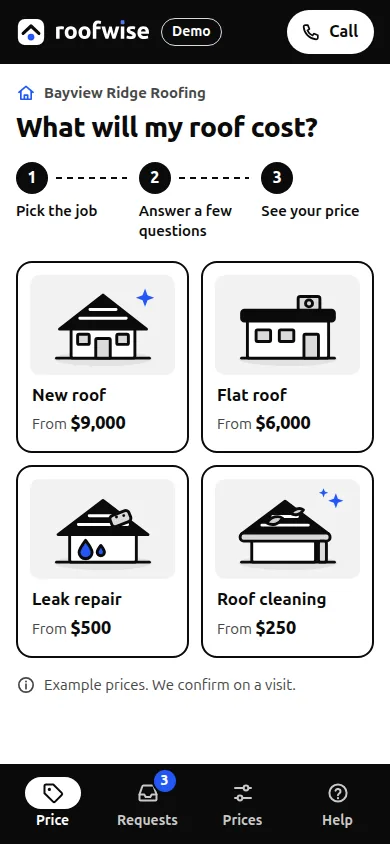
Roofwise
A homeowner picks the job, answers a few questions and sees a price range. The roofer gets the request, with the price they saw.
Made-up roofing company and prices.
-
 For real estate wholesalers
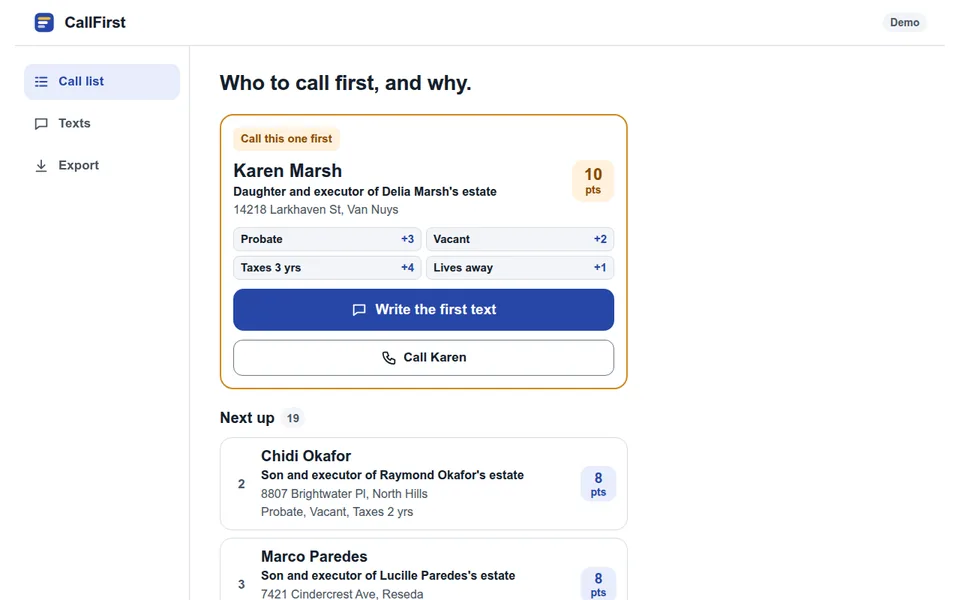
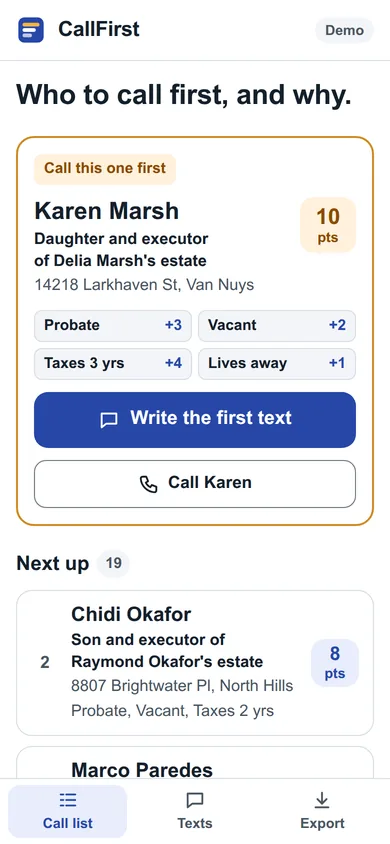
CallFirst
Your seller list ranked, with the reason for each. The first text is written for you, and one tap downloads the list for your CRM.
20 made-up sellers.
-
 For valet companies
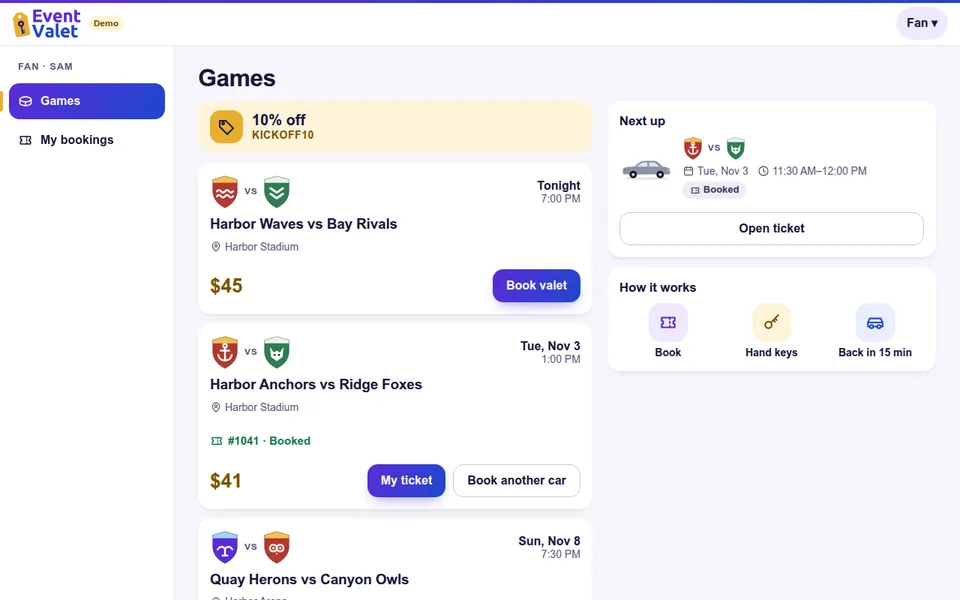
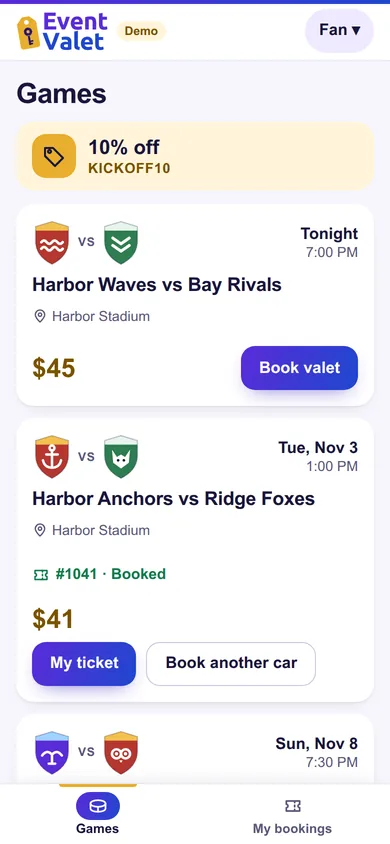
Event Valet
One game night in one app. Fans book and get a ticket, valets get the next car, and the office sees every car on one screen.
Made-up teams, venues and fans.
-
 For insurance agencies
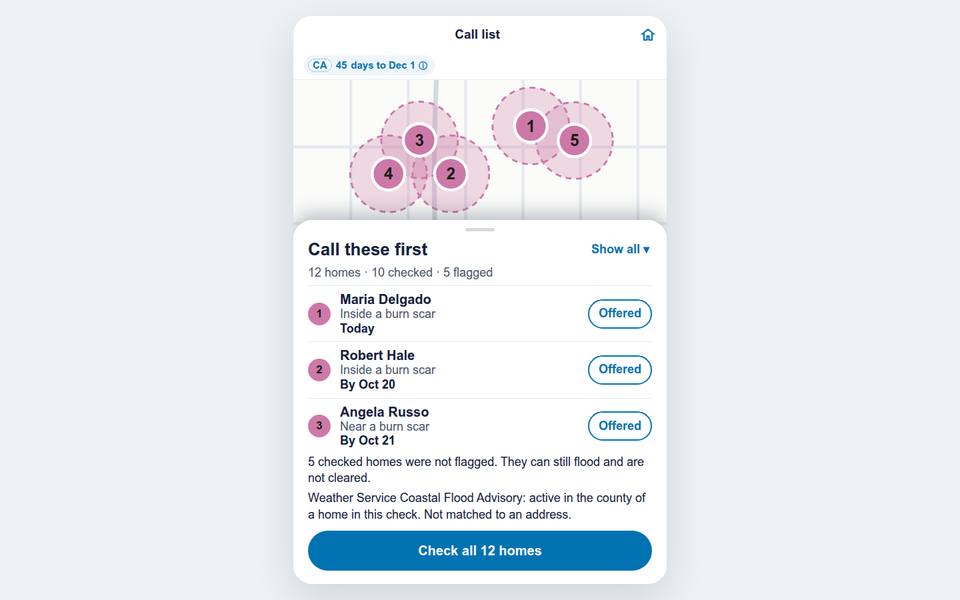
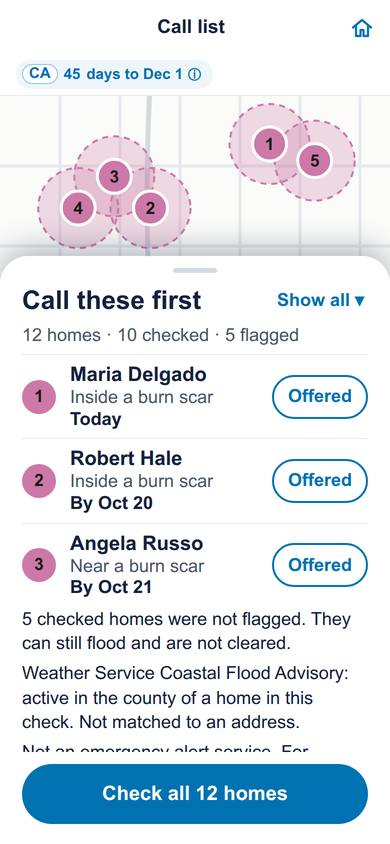
FloodGap
Checks an agency’s customer list for homes that may need flood cover, each with the reason and the source, on a map.
10 sample homes, checked in about 15 seconds.
-
 For shop owners
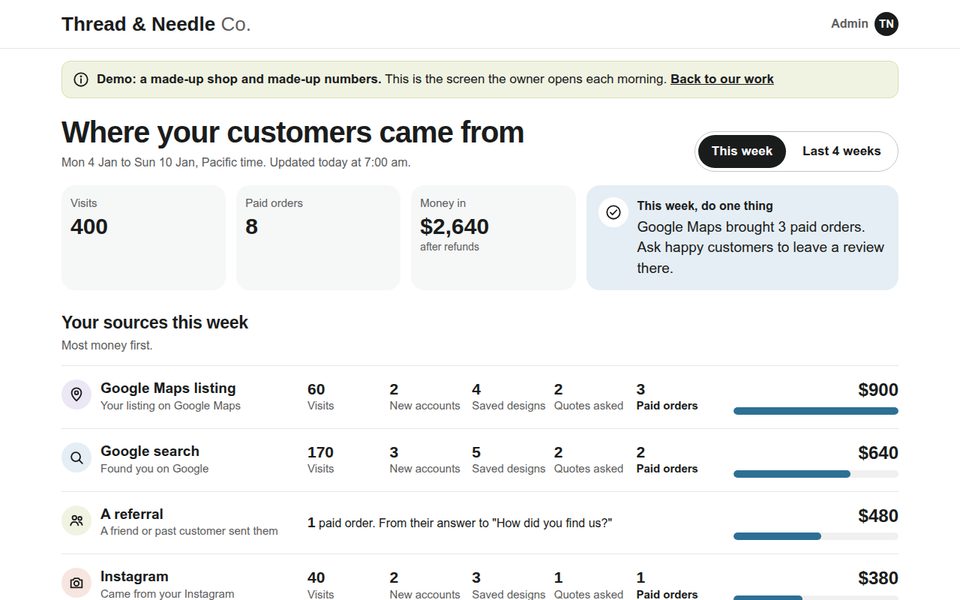
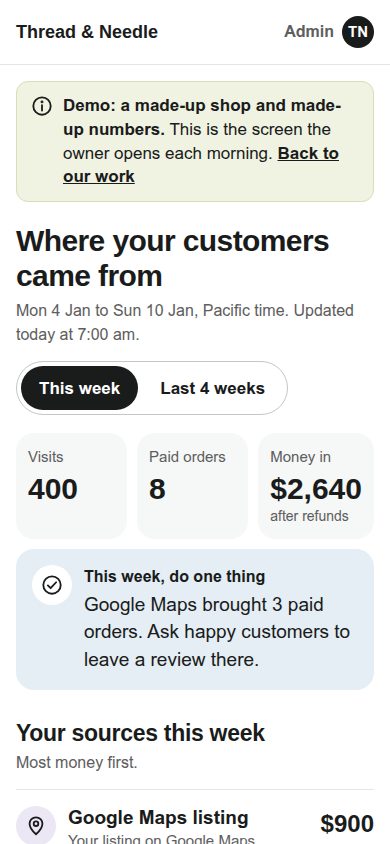
Lead source screen
The screen a shop owner opens each morning: which source brought paid orders this week, and the one thing to do next.
Made-up shop and numbers.
-
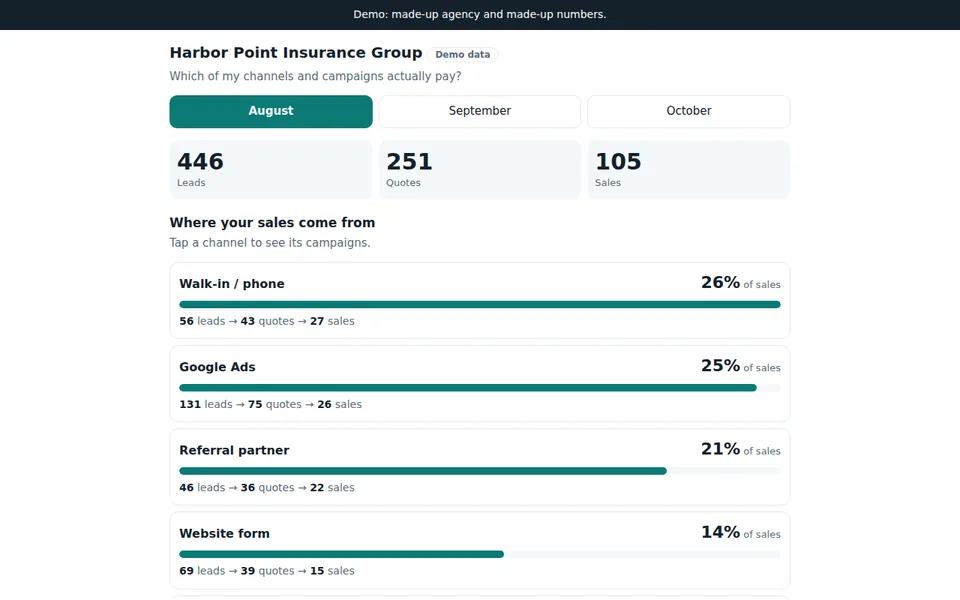
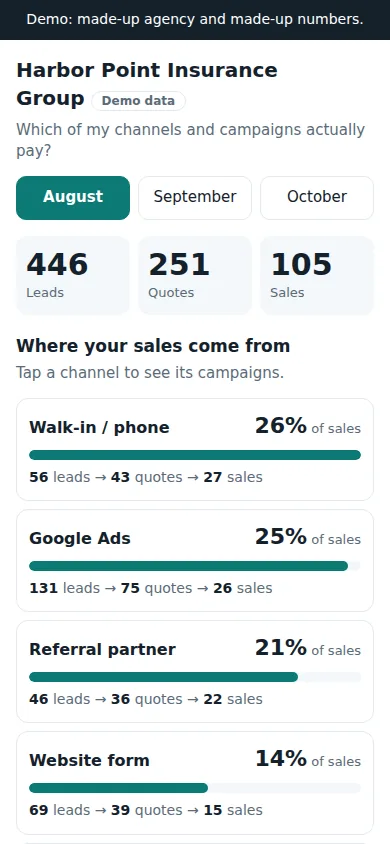 For owners who run ads
Sales dashboard
See which channels and campaigns bring the sales, month by month, from lead to quote to sale.
Made-up agency and numbers.
-
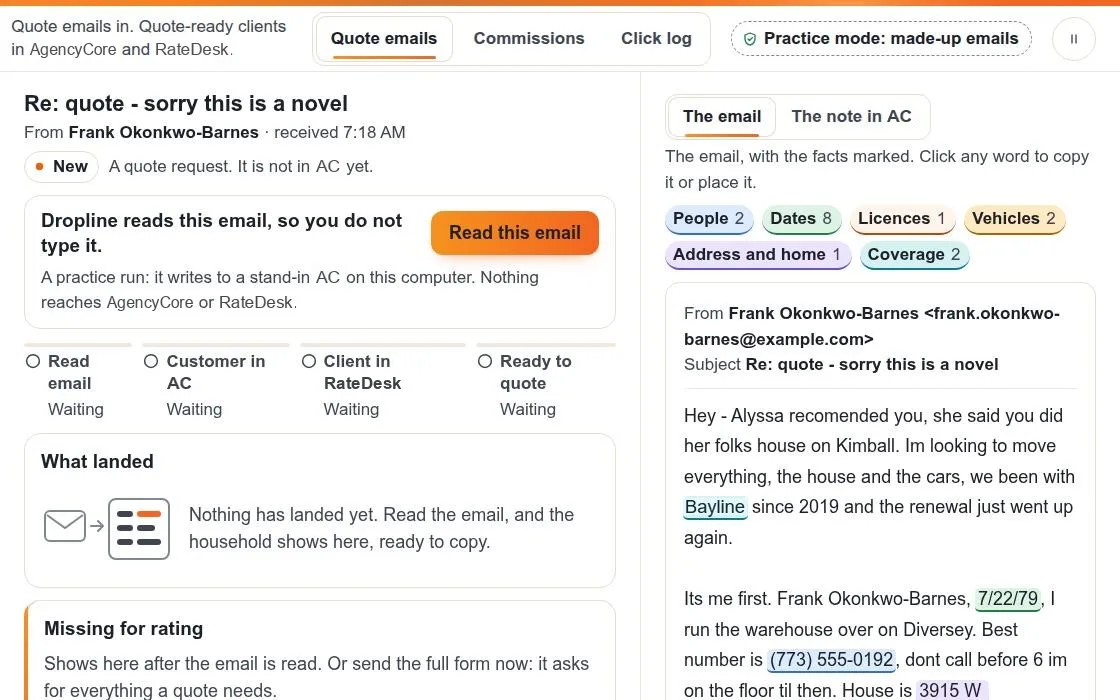
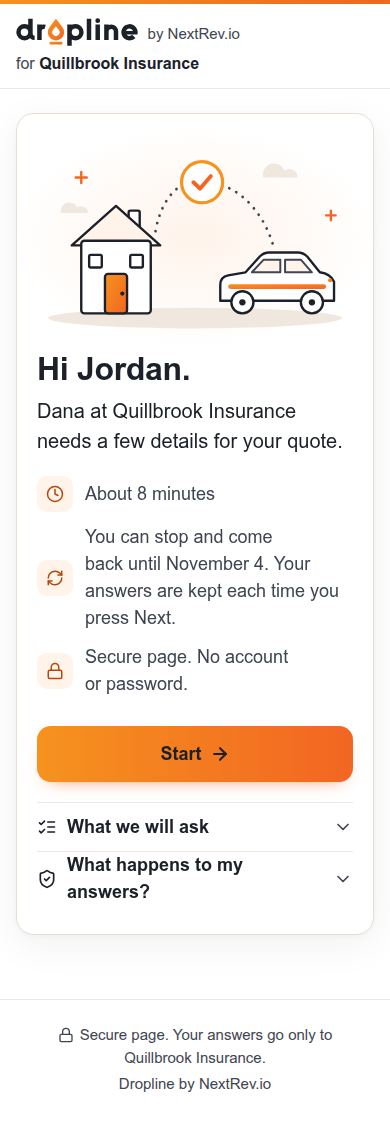 NextRev - Owned
Dropline customer form
The short form a customer fills in on a phone, so the quote has everything it needs.
Made-up names.
Our own tools
The tools we run our own business on.
We build for ourselves the same way we build for you. We use these four in our own work.

SCOUT
Sorts leads. Reads new public requests every day and puts the good fits on one list for a person to review.

Quartermaster
Finds government contracts worth bidding on. Reads new federal notices, checks each against past awards, and puts the best fits on one board.

Meeting Notes
Writes up our calls. With everyone’s okay, it records the meeting, then writes the notes and the next steps.
Signpad
Our own e-signature. Send a PDF, each person signs from an emailed link, and everyone gets the signed copy with its certificate.
03NextRev
NextRev.io: the software company we built.
NextRev builds software that takes the retyping off a team’s plate. AI drafts the paperwork, a person approves it. Every card here is NextRev’s own work.
NextRev - Owned
Dropline: the quote email becomes a ready client.
An agency gets quote requests by email, and someone retypes every one. Dropline reads the email, fills the agency’s system and asks the customer for whatever is missing.
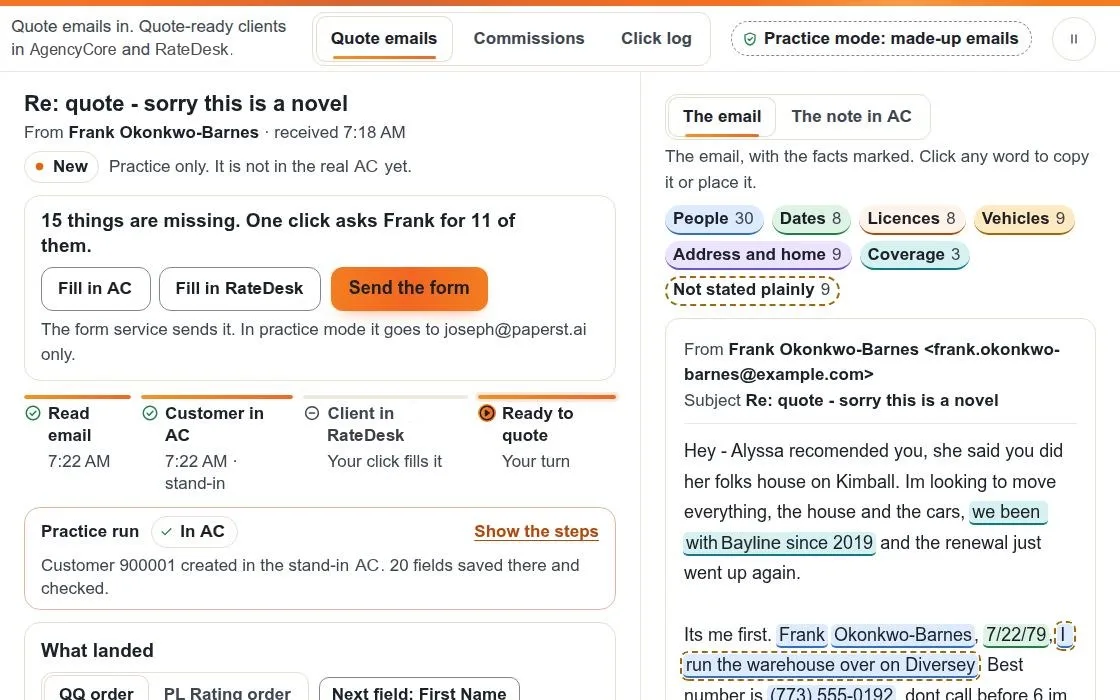
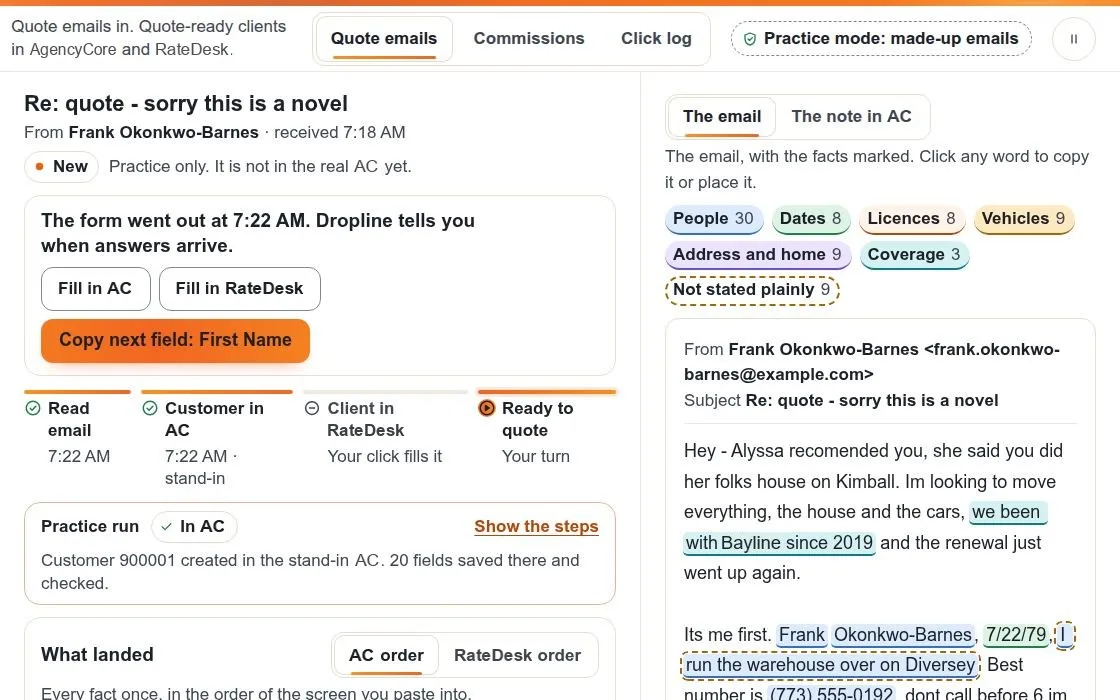
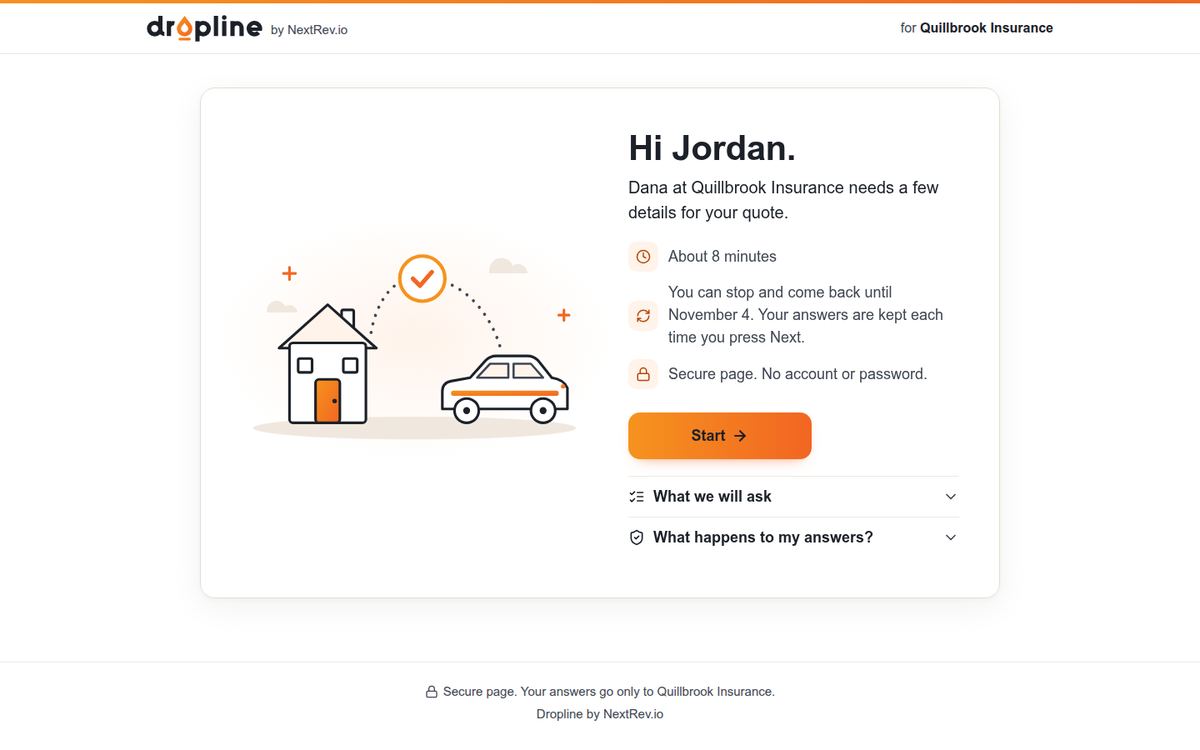
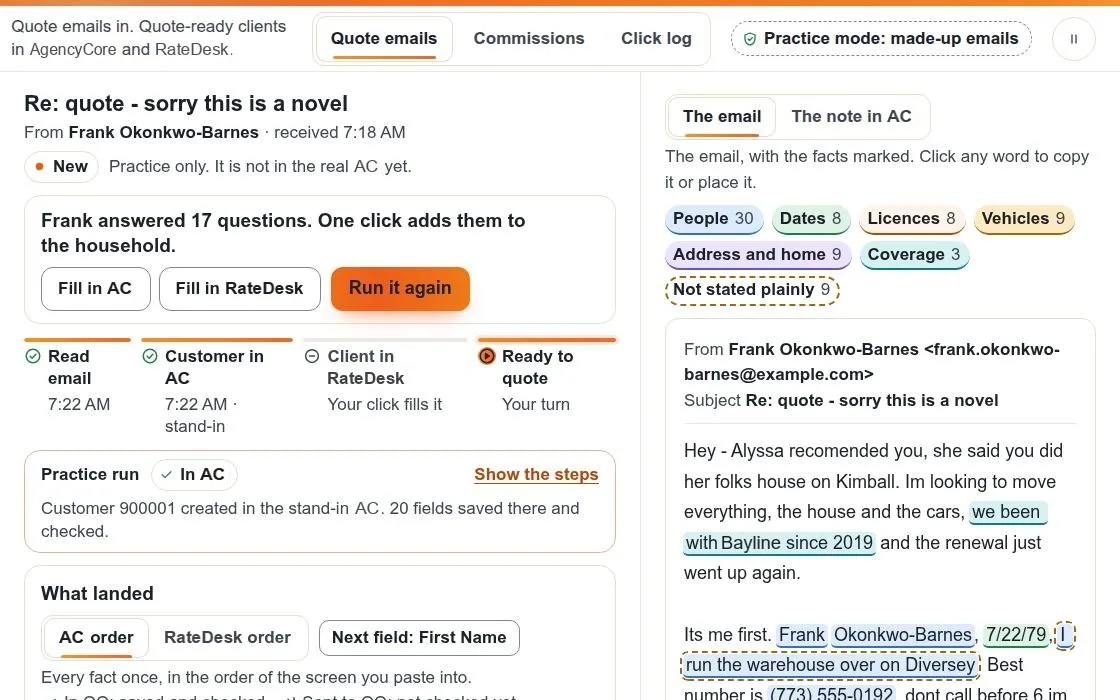
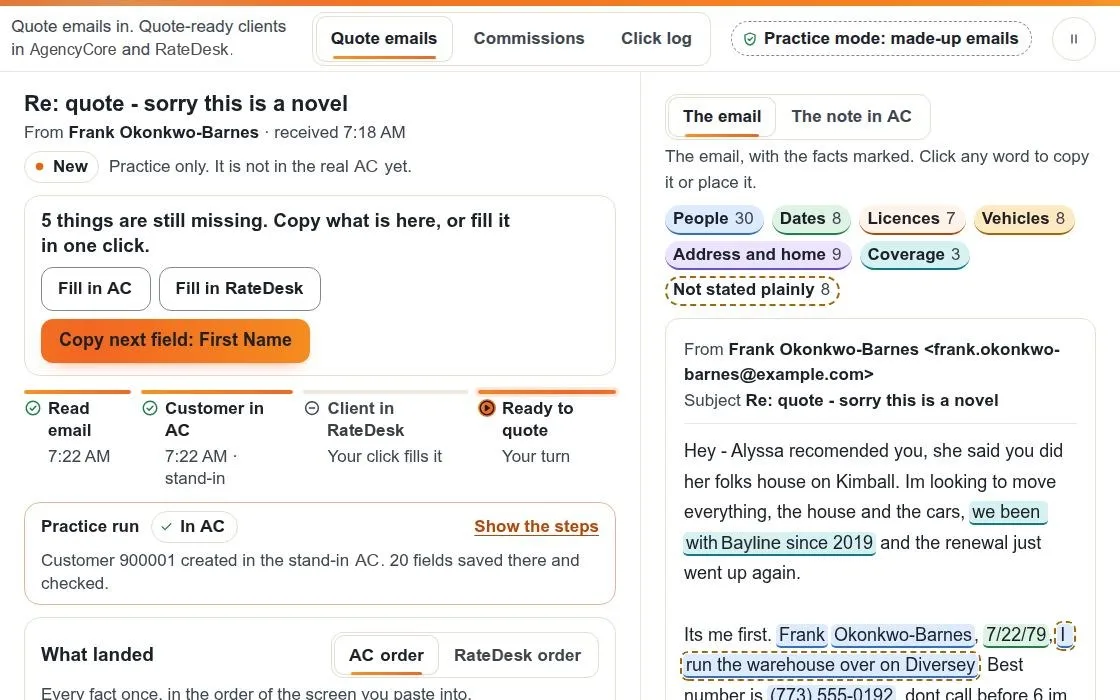
Shown with sample emails and customers. Software names are changed.
-
NextRev - Owned
nextrev.io
The company site: your team did the work once, so the software does the typing.
NextRev’s live site.
-
Tap to flip
NextRev - Owned
Card payments demo
Families pay from their phone on the card company’s secure page. The receipt goes back into the practice software.
Sample practice. Nothing is charged.
-
NextRev - Owned
demos.nextrev.io
NextRev’s demo room: walk through each product with sample data.
Nothing you do there touches a real system.
The NextRev brand kit
The NextRev brand kit: one mark, three looks.
One NR mark carries the company and two lines of work. Each look has its own lockup, app icon and colors, and every file comes from one kit.
NextRev - Owned
-


NextRev
The company. Dark ground, greens.
-


NextRev InsureTech Solutions
A light page, black bars, signal green.
-


NextRev Fintech Solutions
A white page, black bars, violet into blue.
What the kit holds
-
The mark in white, black and green

-
The link card
The picture that shows when the link is texted.
-
The app icon
The same tile on a phone’s home screen and in a browser tab.
-
Colors
- Ground#0A0C0B
- Light green#7FD197
- Green#2F9E44
- Deep green#1A7D36
- Headings#F2F5F3
-
Fonts
Poppinsfor headings, buttons and the wordmark
Interfor body text
Our brand check stops a wrong logo, color or font before a page ships.
04Direct to consumer brands
Direct to consumer brands, built lean.
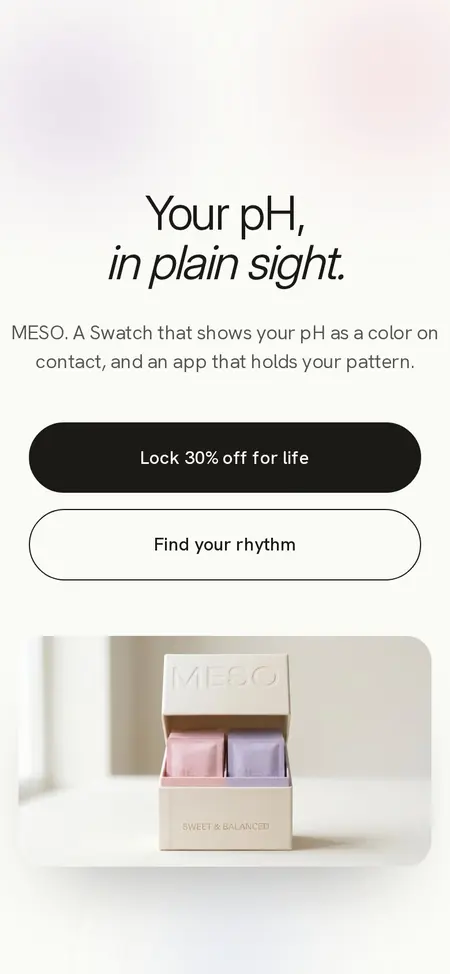
MESO is Joseph and Glenn’s own brand. We built the brand, the site and the whole launch machine, then set the launch up in four phases. Each phase is built to grow through people: creators, a waitlist and a community.
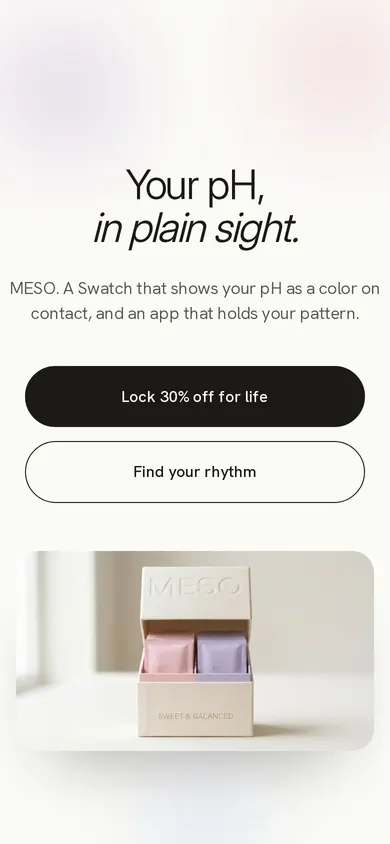
The home page
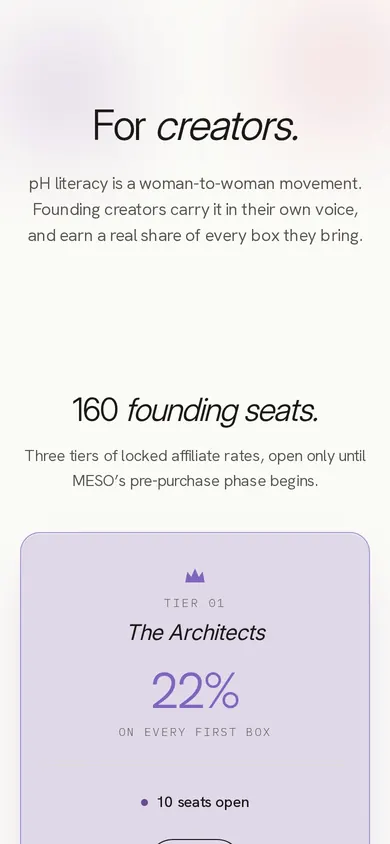
The creator program
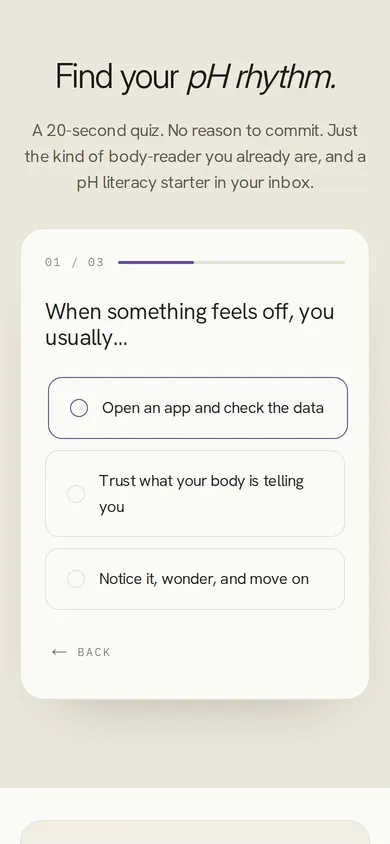
The pH quiz

Concept render 
Concept render 
Concept render
What we built
- The brand system: name, look and voice
- The website, meso-usa.com
- The pH quiz
- The Founding 500 waitlist
- A tiered creator program
- A Discord community
- A magazine page
- The packaging project: we ran it with an outside designer
The launch, in four phases
Build the machineLIVE
The brand, the site, the quiz and the waitlist, all live on meso-usa.com.
Distributed creatorsLIVE
A tiered creator program and a Discord community. Creators carry the brand in their own voice.
WaitlistLIVE
The waitlist captures each signup on the site. The email series that follows is written.
Limited-edition Founding 500DESIGNED
The 500-seat cap is live on the waitlist. Pre-purchase is designed for launch day.
Have a product of your own? We build the brand, the site and the launch around it.
MESO is a cosmetic, not a medical device.
05Loops
Loops: work built to run while you are out.
A loop is a job that finishes itself and reports back. Tap a step to see what happens there.
Receipt loop
The family pays an installment from their phone.
The card number goes into the card company’s secure page.
The card company approves the payment.
The receipt goes back into the practice software.
The family’s balance goes down in the practice software. Nobody types it in.
Next month, the app reads the next payment due from the practice software.
Nobody types the payment in. The family never has to call to pay.
NextRev - Owned
Lead loop
Someone asks for a quote on your website.
The lead is marked with the channel and the campaign that brought it.
It lands in your CRM, the list of your leads and customers.
The dashboard counts the leads and the sales from each channel.
You put more money into the channels that bring sales.
More of the right people fill in the form.
You see what pays.
Quote loop (Dropline)
A quote request arrives by email.
Dropline reads it and marks the facts: people, dates, licenses, cars.
One click sends the customer a short form for the rest.
The customer fills it in on their phone, and the answers come back into the same record.
The agency system gets a clean client record, plus a note with the original email.
The agent quotes from the full record.
Nobody retypes the email.
NextRev - Owned
06How we check
How we check our work: the AI never grades its own work.
Write.
One AI drafts it, builds it or fills it in.
Break.
A second AI tries to break it, and can only read.
Test.
Scripts check every page on phones and big screens.
Approve.
A person says yes before anything leaves.
Learn.
Every correction becomes a rule or a check.
This is how we run our own companies. Your build goes through the same five steps.
How we make our guides07Frameworks
Frameworks we use: the best ideas in selling, used honestly.
Five frameworks shape our pages and our messages. We use what each one is for, never a script.
-
The offer
Hormozi
Alex Hormozi · $100M Offers (2021)
What it is. Make the offer so good no feels silly: bigger result, better odds, less wait, less effort.
How we use it. We show the result, the proof, the time and the work it saves. No fake discounts, no fake countdowns.
See it in our work
On our Torrance concrete concept, the contractor’s real price range sits in plain sight, next to free estimates. The homeowner knows the cost before calling.
-
The story
StoryBrand
Donald Miller · Building a StoryBrand (2017)
What it is. The customer is the hero. The business is the guide with a plan.
How we use it. Every page tells the owner’s story: the problem, the guide, the plan, the call to action.
See it in our work
Every section of the Torrance concrete concept has a story job: the homeowner’s goal, the problem, the proof, the plan and the call.
-
The why
Sinek
Simon Sinek · Start With Why (2009)
What it is. People buy why you do it before what you do. So start with why, then how, then what.
How we use it. Our home page opens with what we believe. What we build and what it costs come after.
See it in our work
Our home page opens with the why: “Your business should run itself, not run on you.” What we build comes after.
-
Proof
Cialdini
Robert Cialdini · Influence (1984, revised 2021)
What it is. People decide by shortcuts: proof, authority, liking. Used honestly, they help people choose.
How we use it. Show, never claim: real reviews, real licenses, real work.
See it in our work
On the Torrance concrete concept, the proof is the contractor’s own: license number, insurance and rating, with reviews in the customers’ own words.
-
The conversation
Voss
Chris Voss · Never Split the Difference (2016)
What it is. Make the other person feel understood, and they tell you what they need.
How we use it. Our replies start from what the person said, and make saying no easy and safe.
See it in our work
A note to a local practice owner who asked for help online. It starts with her post, offers a few free sample posts and ends: “No pressure either way!”
08Logos
Names, logos and the whole kit.
Logo, tab icon, colors and fonts, made to work together.

PaperSt.AI
-
NextRev.io

Dropline

FloodGap

Paper St Marketing
09How it works
Three steps. You do one of them.
Get your free plan.
A free first call about what is slowing you down.
Get my free planGet one fixed price in writing.
What gets built, the date it is done, and the price. Before any work starts.
We build it. You own it.
The code and the accounts are set up in your name.
Every week it waits, you or someone you pay does a machine’s job, and leads wait while they do it.
How I work, and if we are a fit